App for iPhone, iPad and Mac
GéoBioAssist, the geobiologist's field companion
Record your readings on site, place them on the plan and hand your client a clear report. No internet connection needed, no account to create.
Download on the App StoreFree for up to 3 missions, then a 1-month free trial of the full version.
Precise readings, the way you take them in the field
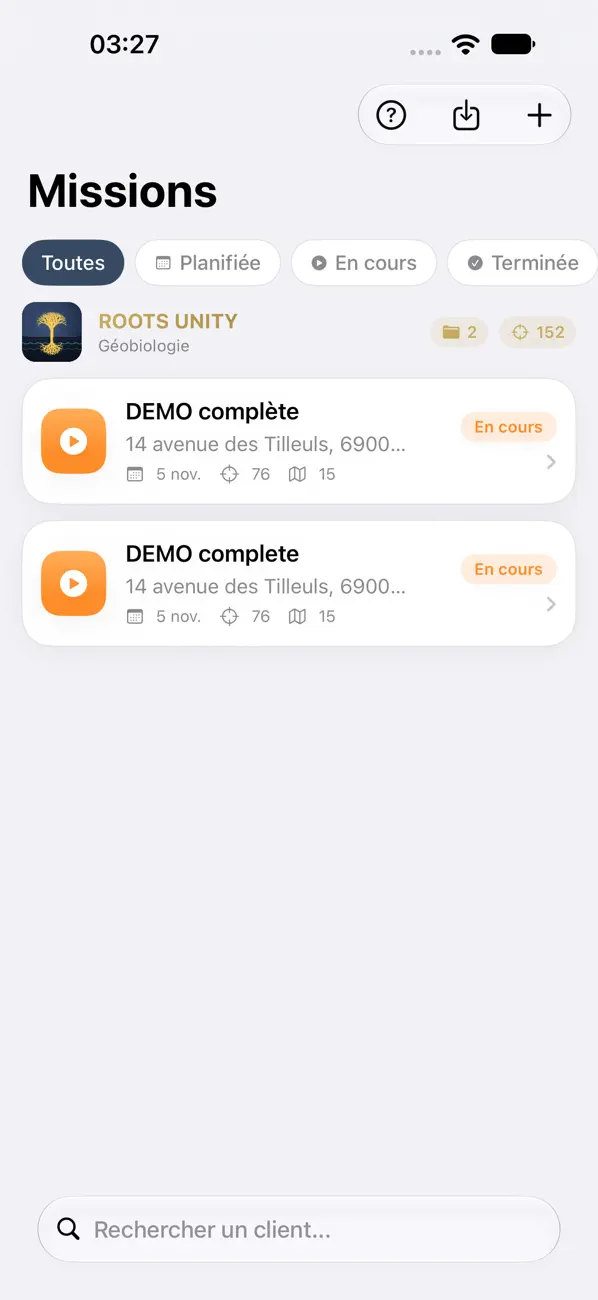
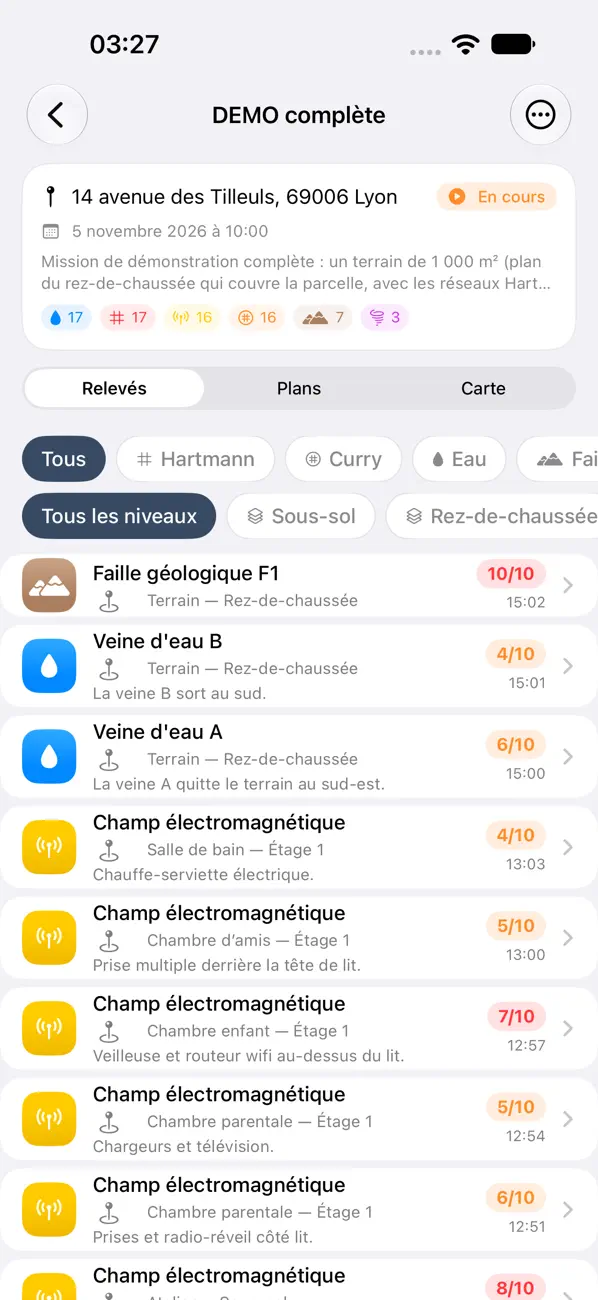
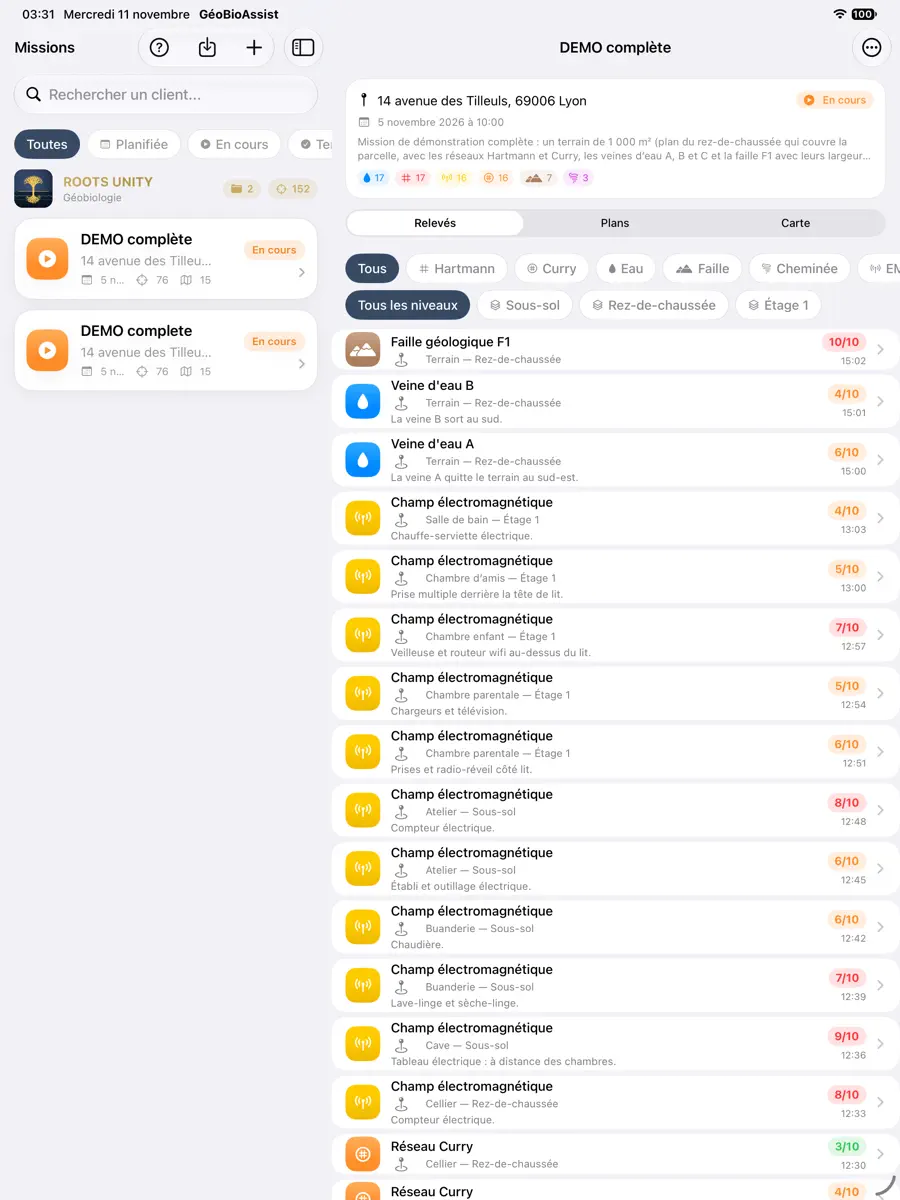
Hartmann and Curry grids, water veins, geological faults, cosmo-telluric chimneys, electromagnetic fields: each reading has its intensity from 1 to 10, its notes, its photo and its GPS position.
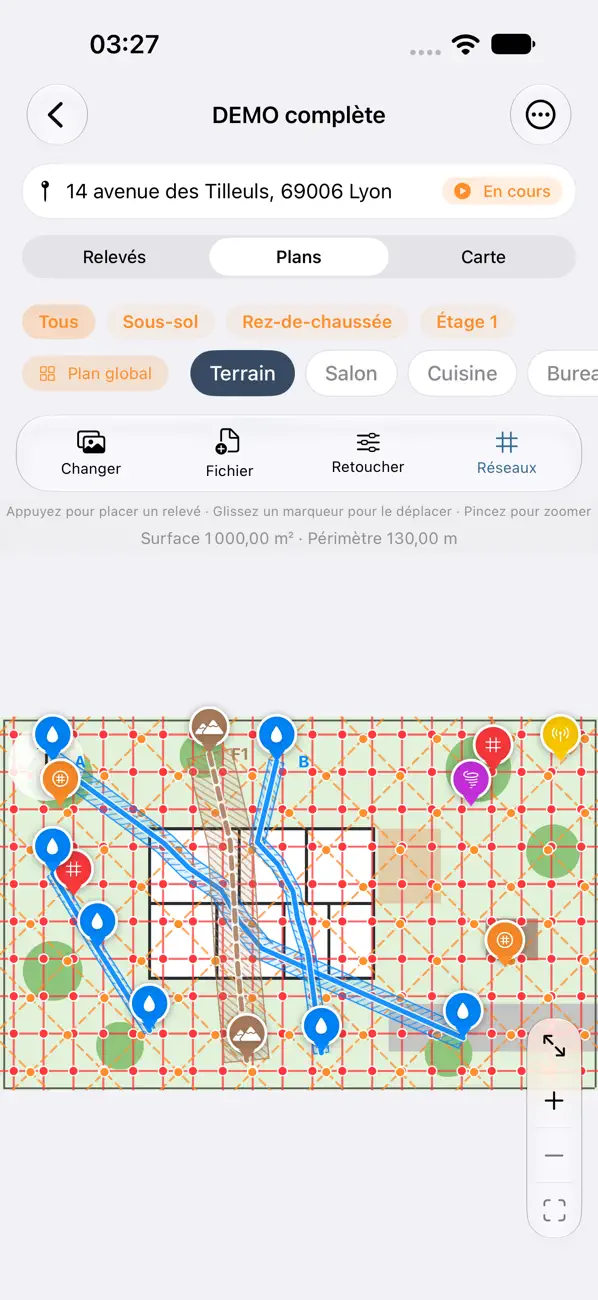
A water vein or a fault is drawn as a line through your points (vein A, vein B…). Sort and filter by type, room and level.
Set the width of a water vein, a fault or a Hartmann or Curry grid: a hatched area at real scale appears on the plans, the global plan, the levels and the PDF report. A vein or a fault can run through several rooms: a single line on each plan and in the report.
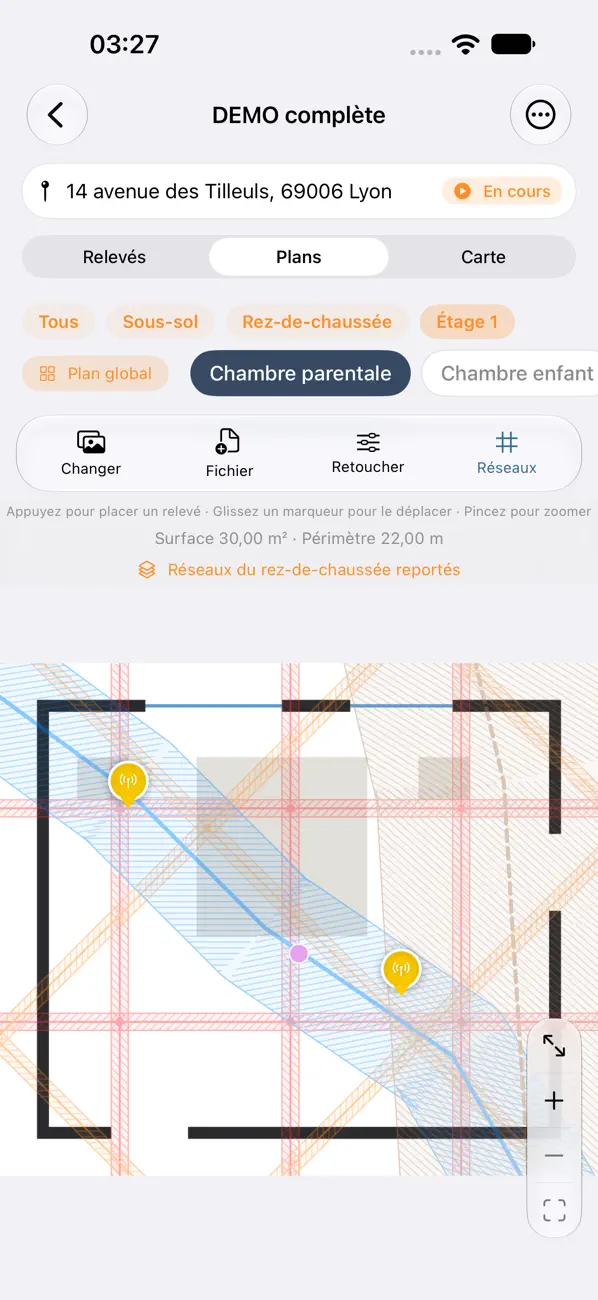
The plan of each room, in minutes
- Scan a room with LiDAR (iPhone and iPad with LiDAR): walls, doors, windows and dimensions draw themselves.
- Hide a false door, straighten the plan, get the area and perimeter.
- Or import an image, a PDF, or a plan exported from Moasure (CSV or DXF).
- Place your readings with one gesture, then zoom and drag them with millimetre precision.
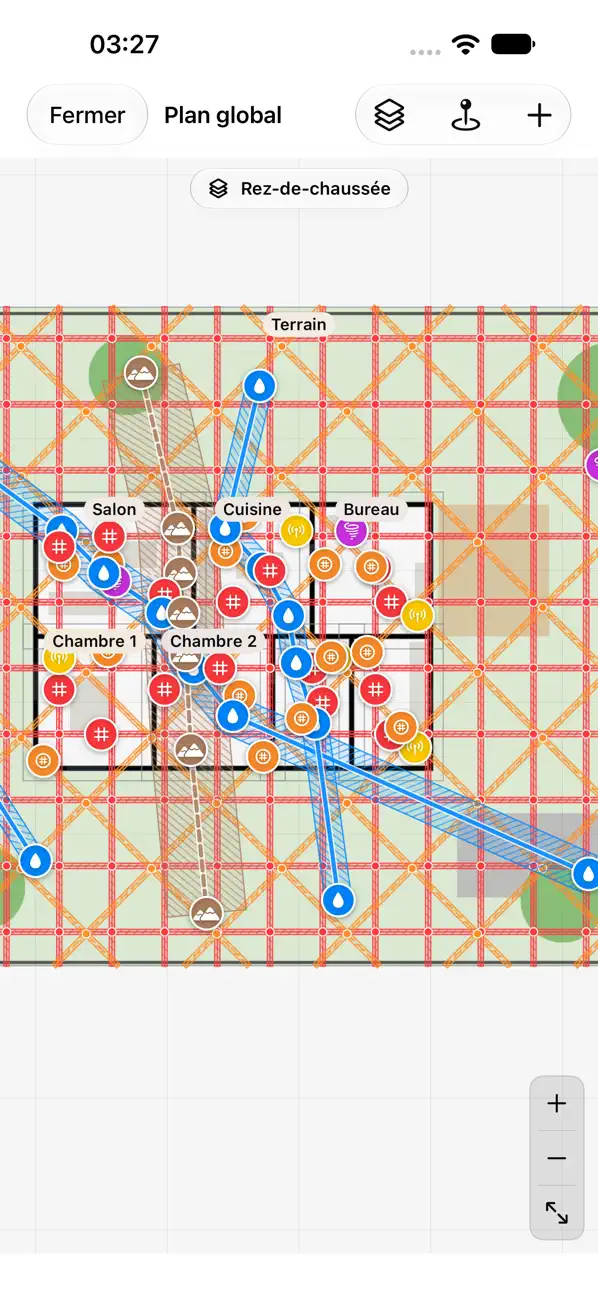
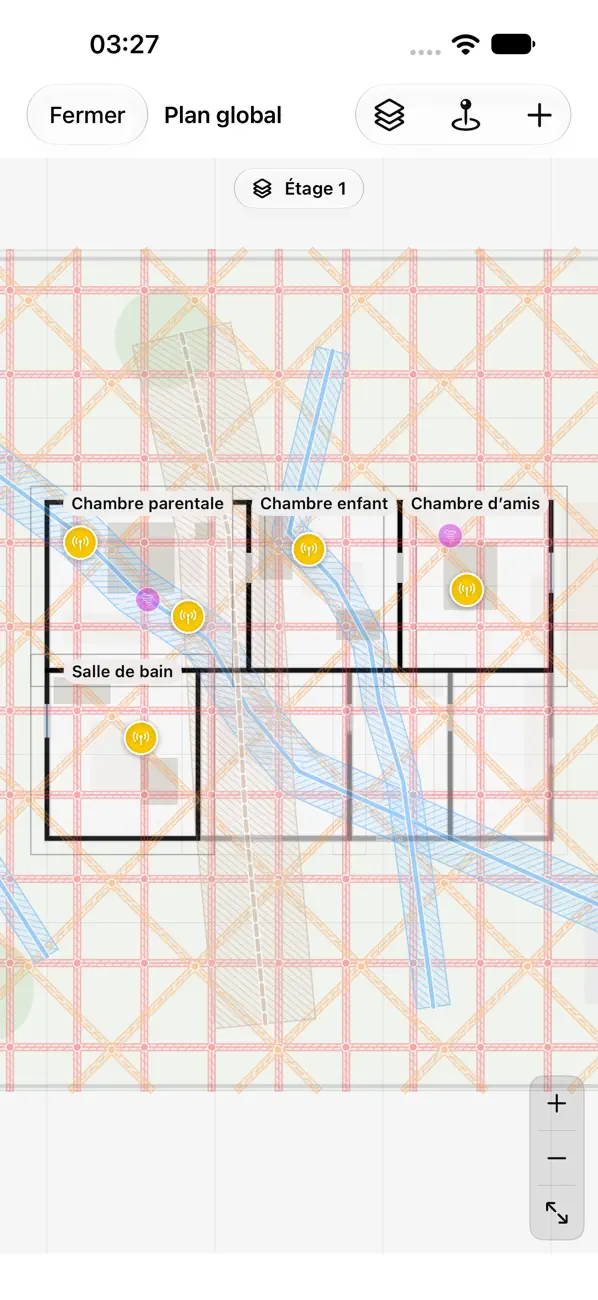
A global plan, level by level
Assemble all the rooms of a mission: each plan keeps its true size, rotated and snapped to neighbouring walls. Floors and basements each have their own global plan; the ground-floor grids carry over to every level, while electromagnetic fields stay specific to each level. Touch a reading to edit it, or drag it into another room.
On Mac, the global plan opens in its own window, which you can resize as you like.
Everything you need for the mission
A PDF report for each mission
Client details, summary, readings with photos, global plan of each level and plan of each room with its numbered readings. Share it or save it in one gesture.
Hartmann and Curry grids
Mark a point on a grid line: the app draws the whole grid at real scale. Set North with the compass, adjust the mesh, spot the crossings. Choose their width: the hatched area follows the real scale of the plan.
iPhone, iPad and Mac
One subscription for all three devices. Move a mission from one to another with a .geobio file, with no duplicates, or through optional iCloud sync.
No internet connection
Everything is done on site, offline: readings, plans, report. Nothing depends on a server.
Appointments in your calendar
Add a mission's appointment to your calendar, with the address for directions.
Your data stays with you
- No account to create.
- No server, no tracking.
- Optional iCloud sync, with your own iCloud account.
- Export your missions as a .geobio file, even without a subscription.
Free, then the full version by subscription
Free
- Up to 3 missions
- Readings and plans
- Missions always viewable and exportable
Full version
or €99.99 per year
- 1-month free trial
- Unlimited missions
- PDF report and LiDAR scan
- Global plan and levels
- iCloud sync
- One subscription for iPhone, iPad and Mac
Prices in France, VAT included, via the App Store. The subscription renews automatically until you turn it off in your Apple account settings.
Frequently asked questions
Which devices does it run on?
On iPhone and iPad (iOS and iPadOS 17 or later) and on Mac (macOS 14 or later), in French, English, German, Spanish and Italian.
Is LiDAR scanning required?
No. Scanning needs an iPhone or iPad with LiDAR; otherwise, import an image, a PDF or a Moasure plan (CSV, DXF).
What happens to my work if I stop subscribing?
Your missions remain viewable and exportable.
Is my data sent anywhere?
No. The app has no account and no server, and does no tracking. iCloud sync is optional and uses your own iCloud account.
How do I manage my subscription or get a refund?
Purchases are handled by Apple: subscriptions under Settings, your name, Subscriptions; refunds at reportaproblem.apple.com.
Ready for your next mission?
Download GéoBioAssist for free and start your first mission.
Download on the App StoreA question or a problem? Contact support